MOOG
HOME |
TEACHING |
HALOSTARS |
DISKSTARS |
LABDATA |
MOOG |
SPECTRE |
MISC
MOOG is a code that performs a variety of LTE line analysis and spectrum synthesis tasks. The typical use of MOOG is to assist in the determination of the chemical composition of a star. The basic equations of LTE stellar line analysis are followed, in particular using the formulation of F. N. Edmonds, Jr. (1969, JQSRT, 9, 1427). Much of the MOOG code follows in a general way the WIDTH and SYNTHE codes of R. L. Kurucz (see his web site: http://kurucz.harvard.edu/). Below are instructions on downloading MOOG. If you have trouble grabbing or decoding the code please email me at chris@verdi.as.utexas.edu.
The coding is in various subroutines that are called from a few driver routines; these routines are written in standard FORTRAN. The standard MOOG version has been developed on unix, linux and macintosh computers.
One of the chief assets of MOOG is its ability to do on-line graphics. This means that the plotting commands are given within the FORTRAN code. MOOG uses the graphics package SM, chosen for its ease of implementation in FORTRAN codes. Plotting calls are concentrated in just a few routines, and it should be possible for users of other graphics packages to substitute other appropriate FORTRAN commands.
The current MOOG release (November 2019) is the only code that is actively supported. See below for downloading instructions of this code.
Finally, financial support from the US National Science Foundation and NASA for many years in development of this code is gratefully acknowledged.
abfind in MOOG
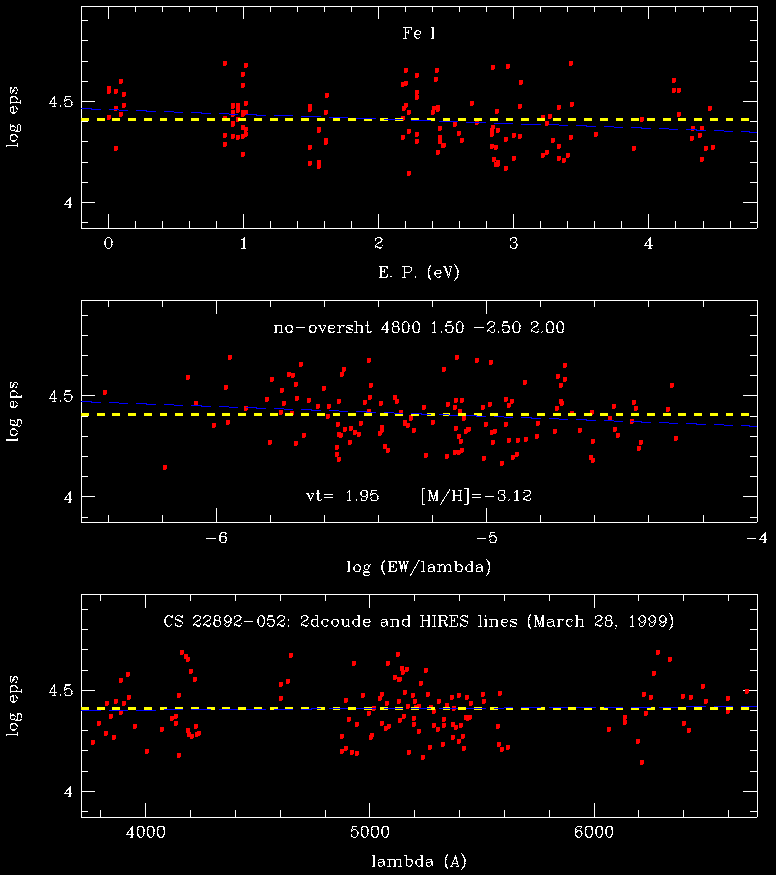
A standard MOOG running option called abfind force-fits abundances of species to yield computed equivalent widths that agree with observed ones previously measured with other software packages. Here is a sample graphical output from this mode.
|
|
synth in MOOG
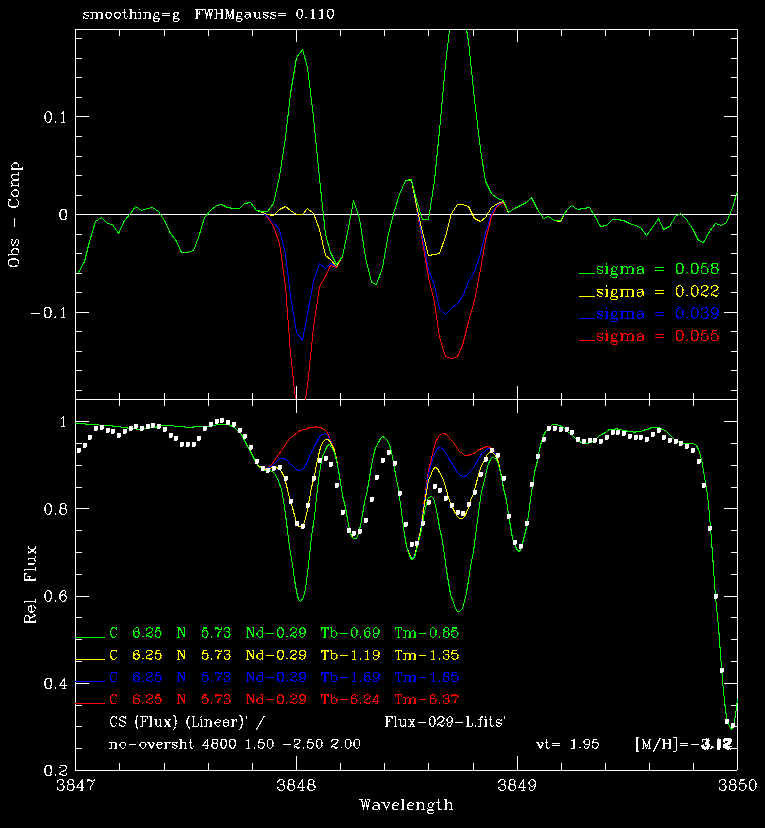
The other standard MOOG running option called synth computes a set of trial synthetic spectra and (if the user so desires) matches these to an observed spectrum. Abundances can be deduced either bu visual inspection of the plot or by mathematical minimization of the observed-computed spectrum difference.
|
|
How to acquire MOOG
You may obtain a copy of MOOG via ftp. The latest release is another overhaul of the code in visible and in background ways. Most users will not notice any changes..
To obtain the current version of the code, last uploaded November 2019, click: MOOGNOV2019. The downloaded file will be called MOOGNOV2019.tar.gz
Not sure whether or not you would like MOOG? You are welcome to download a pdf file describing the code. It is called WRITEnov2019.pdf. Warning! This is a decent introduction to the code, but does not pretend to cover all the possibilities for using MOOG.
Note: If do not have the plotting package SM on your system, it is available at a modest cost. Send messages of inquiry to Patricia Monger (monger@mcmaster.ca), or go to the SM web site.
How to install MOOG
Once you have obtained MOOG via ftp, on a unix/linux machine execute the following command:
tar -zxvf MOOGNOV2019.tar.gzThis uncompresses to a diretory that is called moognov2019. Inside that directory you should end up with many *.f files, several *.com files, two Barklem damping data files, and several Makefile.xxx files, one of which ought to be appropriate to modify for your own machine.
Then you need to prepare the code to compile and link for your particular machine:
vi Moog.f (or "emacs", or some other text editor)Instructions for this easily-done task are in the comments in Moog.f. You also need the appropriate library-linking commands to be put in your Makefile.xxx, examples of which are provided. Finally, compile and link:
make -f Makefile.xxx where xxx = "rh64", "maclap", etc.The resulting executable file will simply be called MOOG. Most problems in getting to the executable file are connected with the library linking process, and a common issue is discovering where the libraries (like sm, X11, etc.) exist on your machine. Sorry, I am not an IT expert and can only give you general help here.
Acknowledgments
Many aspects of MOOG have been developed in collaboration with other stellar spectroscopists, several of whom are named in the "changes" file. Their contributions are gratefully acknowledged. A number of grants over the last couple of decades from the U.S. National Science Foundation have supported my MOOG coding efforts.